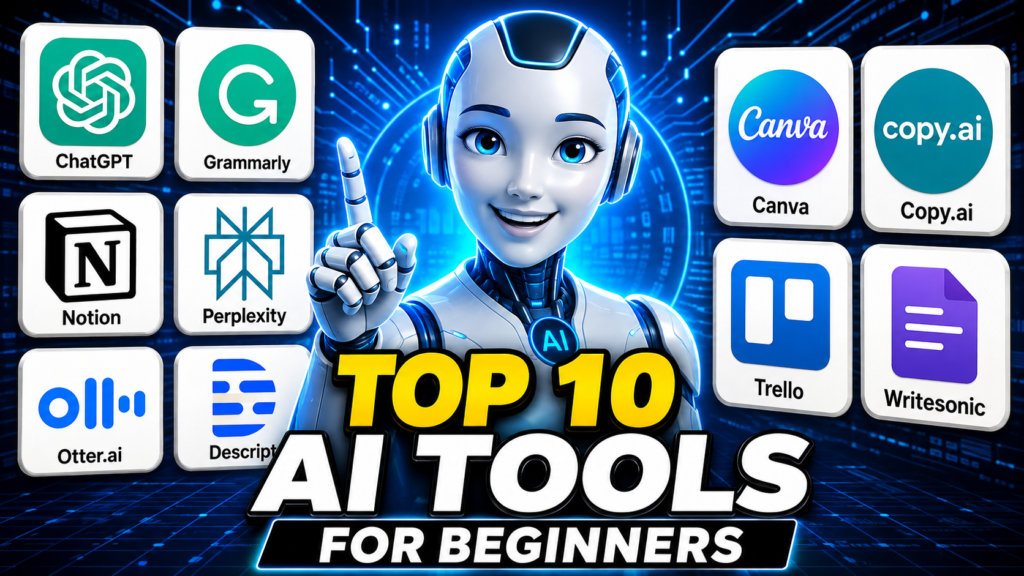
If you’ve ever felt like everyone around you is using AI to save time and make money except you, you’re not alone. The good news is, the best AI tools for beginners don’t require any coding skills, technical background, or expensive subscriptions. Most of them are free to start, and you can be using them within the next ten minutes.
This list isn’t about hype. It’s about tools that actually help regular people — small business owners, freelancers, side hustlers, and total beginners — get real work done faster.
By the end of this post, you’ll have ten practical tools you can try today, plus a simple way to start using them without feeling overwhelmed.
What Makes an AI Tool “Beginner-Friendly”?
Before jumping into the list OF Ai tools, it helps to know what to look for. A good beginner AI tool should have :
- A free plan or free trial
- A simple interface (no manual required)
- A clear, specific use case
- No steep learning curve
Keep these in mind as you try new Ai tools. If something feels too complicated after 15 minutes, it’s probably these Ai tools is not built for beginners — skip it and move on.
1. ChatGPT (OpenAI)
ChatGPT is usually the first stop for anyone exploring AI tools for small business. You can use it to write emails, brainstorm business names, outline blog posts, or even get simple legal and tax questions explained in plain English (always double-check anything financial or legal with a professional).
- Best for: writing, brainstorming, research, quick explanations.
Free Plan : Yes
2. Grammarly
Grammarly checks your writing for grammar, tone, and clarity. If English isn’t your first language or you just want your emails and posts to sound more professional, this tool quietly fixes small mistakes before anyone else sees them.
- Best for: professional writing, emails, blog posts
Free Plan: Yes
3. Notion AI
Notion is already popular for organizing notes and projects. Notion AI adds the ability to summarize pages, write drafts, and organize your ideas automatically inside the same workspace you’re already using.
- Best for: organizing your business, notes, and planning
Free plan: Limited free plan available
4. Perplexity AI
Think of Perplexity as a smarter search engine. Instead of scrolling through ten articles, you ask a question and get a direct, sourced answer. This is especially useful for beginner market research — checking trends, competitor info, or general industry data.
- Best for: research, market trends, fact-checking
Free plan: Yes
5. Canva (with Magic Design)
Canva’s AI features let you turn a simple text prompt into a social media post, flyer, or logo idea in seconds. You don’t need any design experience — just drag, type, and adjust.
- Best for: social media graphics, branding, product images
Free plan: Yes
6. Copy.ai
Copy.ai is built specifically for marketing copy — product descriptions, ad captions, and email subject lines. If you sell on Amazon, Etsy, or run a small online store, this tool alone can save hours of writing every week.
- Best for: product descriptions, ads, marketing copy
Free plan: Yes
7. Otter.ai
Otter records and transcribes meetings, calls, or voice notes automatically, then summarizes the key points. Great for freelancers juggling client calls or business owners who think out loud and want it turned into notes.
- Best for: meeting notes, transcription, summaries
Free plan: Yes
8. Trello (with AI-powered automation add-ons)
Trello itself isn’t purely an AI tool, but many of its automation features (powered by its Butler system) work like a simple AI assistant — moving tasks, sending reminders, and organizing your to-do list without you lifting a finger.
- Best for: task management, staying organized
Free plan: Yes
9. Tidio
Tidio adds an AI chatbot to your website or online store that can answer common customer questions instantly — even while you’re asleep. For beginners running a small e-commerce store, this can directly reduce lost sales from unanswered questions.
- Best for: customer support, online stores
Free plan: Yes
10. Descript
If you’re thinking about starting a YouTube channel, podcast, or short-form video content as a side hustle, Descript lets you edit video and audio just by editing text — no complicated editing software needed.
- Best for: video/audio editing, content creators
Free plan: Yes
How to Start Using AI Tools Without Feeling Overwhelmed
You don’t need all ten tools on day one. Pick one problem you’re currently dealing with — writing, organizing, designing, or customer support — and choose the single tool that solves it.
Use it consistently for a week before adding another. This is how most successful beginners actually build an AI-powered workflow, instead of downloading ten apps and using none of them properly.
10. Common Difficulties Related to This Topic
Over-relying on AI for decisions — Use AI tools for research and drafts, but make final business decisions yourself or with a professional’s input.
Feeling overwhelmed by too many tools — Pick one tool, master it for a week, then add another. Don’t try all ten at once.
Free plans running out of credits fast — Track usage limits and switch tasks between tools, or upgrade only the one tool you use daily.
AI-generated content sounding robotic — Always edit AI output in your own voice before publishing anything publicly.
Data privacy concerns — Avoid entering sensitive business or customer data into free AI tools; check each tool’s privacy policy first.
Final Thoughts
The best AI tools for beginners aren’t the flashiest or most expensive ones — they’re the ones you’ll actually stick with. Start small, pick one tool from this list, and build from there. Once you’re comfortable, explore our related guide on how to use ChatGPT to start a side hustle for a deeper, step-by-step approach.